Dissecting an Email Signature, Constituency by Constituency
GUEST POST By Rex Weston (and learn more about Rex’s email signature branding below or visit his site now!)
We only get one default email signature, and it’s this signature that we use time after time. As a result, it’s almost always somewhat inappropriate – maybe too much or too little, too formal or too casual. If you’re faced with the task of coming up with a “one size fits all” email signature design for your company, you may find it useful to look at the content on a constituency by constituency basis.
I’ll run through this using this detailed corporate email signature as an example:
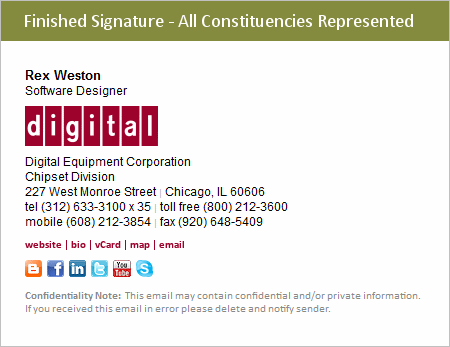
Let’s break this apart in terms of six different constituencies:
- The message recipient
- The message sender
- The company as a whole
- The marketing department
- The HR department
- The legal department
I’ve addressed these in what I consider to be an order of decreasing importance (email signature-wise).
What the Message Recipient Wants to Know: Message recipients, your most important constituency, are likely to want to know some or all of the following:
- Who are you?
- What company are you with?
- How can I reach you by phone?
- How can I access your website?
- How do I navigate to your office?
- (Note: How to reach you by email is important but clicking “reply” is all that’s needed.)
As a result, it’s likely that message recipients will find the following components of this signature to be genuinely useful:
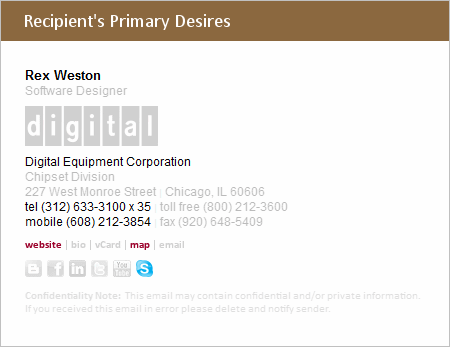
Bear in mind that these – especially the telephone number and clickable website link – are likely to be considered essential by the recipient, meaning that their absence may lead to frustration.
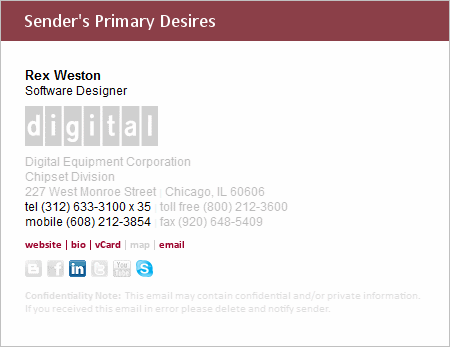
What the Sender Wants: The sender typically has two goals – an ego goal and a business goal. It’s their ego goal that wants to ensure that the recipient sees their name (maybe in bold), their title, and has easy access to their corporate bio page, LinkedIn profile, and can easily save their contact information via a vCard.
The sender’s business goals more closely align with the recipient’s desires – namely that ongoing contact be made easy – hence phone / Skype information. Easy access to the company website may also foster a business transaction of some sort between the parties, and therefore can be equally important to the sender as to the receiver.
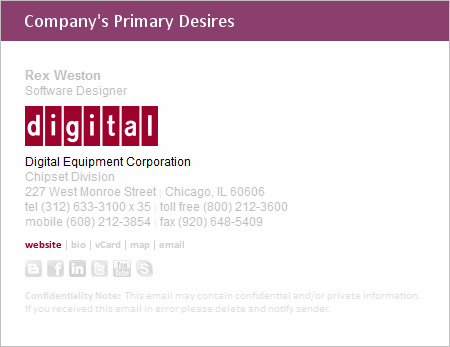
What the Company Wants: While the individual success of its employees is of course of utmost importance, the company as a whole is most likely to benefit from the effective branding that can be achieved through the inclusion of the company logo in the email signature, and again from providing easy and direct access to the company website.
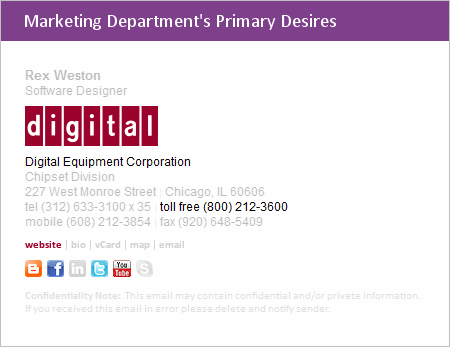
What the Marketing Department Wants: While the marketing department shares the overall branding interest of the company, it especially may want to highlight some of the tools such as toll-free phone numbers and social media that it utilizes in its marketing efforts.
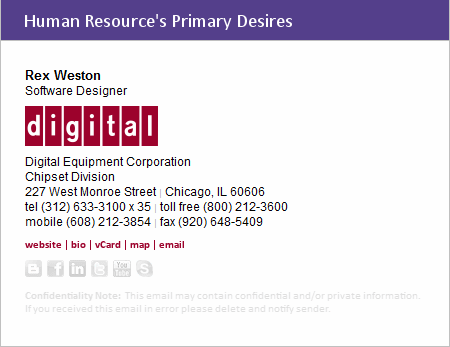
What the HR Department Wants: HR departments tend to equate email signatures with business cards (a good comparison I believe) and as such, HR frequently expresses a desire for all of the person’s contact detail.
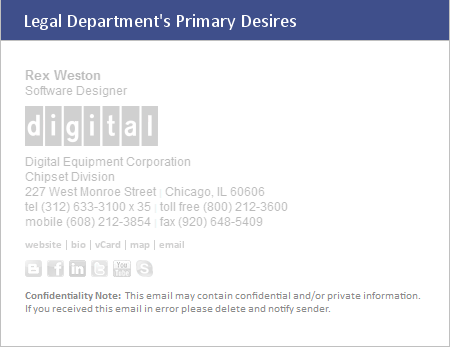
What the Legal Department Wants: Yes, you guessed it – the legal department wants the fine print at the bottom.
When evaluated in this way, it becomes a little easier to understand why email signatures can frequently become quite unwieldy.
If you’re comfortable with signatures that incorporate “everything” then taking an approach that meets the desires of all of your constituencies is probably the easiest. However, if you’d like to settle on a less complicated email signature, hopefully you now have a framework of sorts that you can use to sort out what belongs and what doesn’t.
In my opinion the order of importance of the various content items is as follows:
- sender’s name
- sender’s phone number(s)
- website link
- sender’s title
- company name and/or logo
- map link
- link to sender’s bio page and/or LinkedIn profile
- fax number
- vCard link
- company address
- other (non-LinkedIn) social media sites
- toll-free phone number
- company division or department
- legal disclaimer
This list of course varies from situation to situation, and having inside knowledge of the goals and strategies of the organization can help considerably in coming up with an optimal email signature.
About the Author: Rex Weston is the founder of www.DigiTechBRANDING.com. Over the last 15 years he’s worked exclusively in the area of email branding, working with hundreds of companies worldwide to provide state-of-the-art email signature solutions. He can be reached in his Wisconsin (USA) office at (920) 648-5408 or by email at rex@digitechbranding.com
5 Comments
Comments are closed.



Heh, great post. I’ve gone back and fourth on what to include but lately have settled on name, company name, phone number and company URL in one line. These 10 line signatures are just horrific to see in a long thread.
I’m 100% with you, Jeff. More is less for me. 4 lines feels like my limit.
That being said, I have seen a few others do longer signatures “more” creatively with images/quotes and that branding can work well (or not at all)!
Good news: in gmail, most of the signatures are now clipped in threads, so we are spared the horrific 10-line signatures (outside of that first email).
Yeah, I love that they do that too.
Great service btw, I just started using it last week. It really solves a fantastic problem. I’d also love to see better isolation between my various Google Apps accounts via external tools like yours. I’m surprised that I can’t pick which address book to throw a contact in when I add them via iPhone. I sync with Google on my phone, and the one time I tried to clean up my contacts by moving them between accounts it made a mess of my contact database. I wish Google would just create a really nice contacts app for this stuff, seems like a big miss. You should do that 🙂
Thanks Jeff! Glad to hear you’re enjoying Evercontact!
I hear you on the google sync / google apps issue. I think it’s a pain point specifically for startups/entrepreneurs who’s personal/private life is fairly linked— ie unlike big companies, they’re not going to have an extra phone, but they need all of those professional contacts on their phone too!
It ends up meaning a ton of contacts. Here’s how I cleaned up my iphone w/ google sync via mycontacts: http://www.evercontact.com/blog/how-to-clean-up-the-contacts-on-your-iphone-address-book/
It might work for you, and if not, let me know where you’re getting tripped up. Always good to learn a bit more 🙂
Really glad to hear you’re enjoying Evercontact!
And, yep, that multiple google apps issue can be a pain. I think it’s specifically a pain for startups/small biz entrepreneurs who’s private/professional life gets mixed pretty quickly in their address book/phone— whereas as larger companies will provide a separate phone.
Here’s how I cleaned up the google sync with my contacts. Maybe it’ll help! http://www.evercontact.com/blog/how-to-clean-up-the-contacts-on-your-iphone-address-book/ And if not, let me know where you were running into problems with the migration between accounts.