How to export, import, merge duplicates and restore Google Contacts
Did you know just HOW MUCH you can tweak your address book right inside Google Contacts in Gmail?
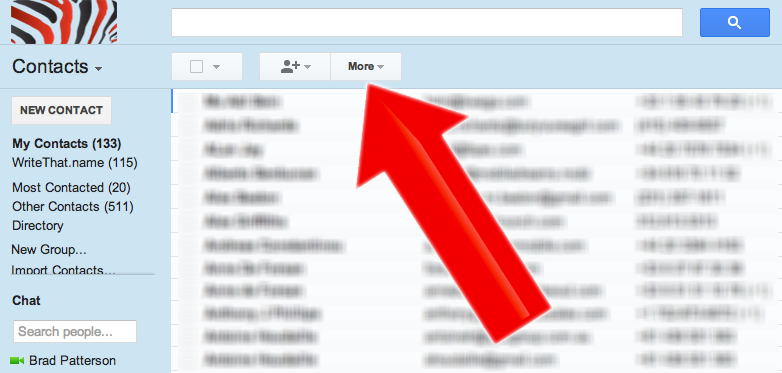
It’s all hidden in this little “more” button
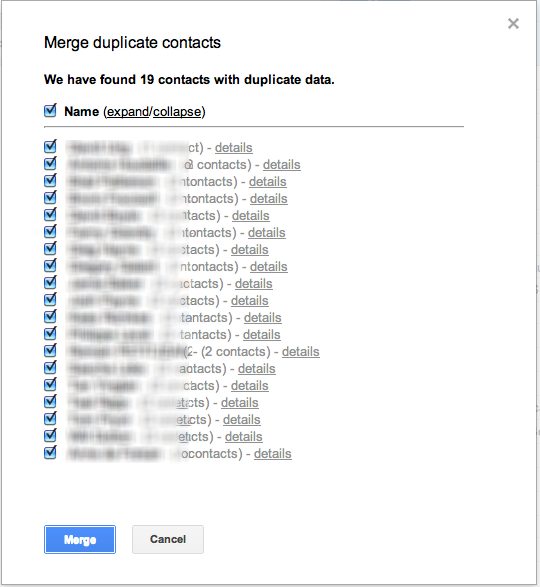
Merge Duplicate Contacts
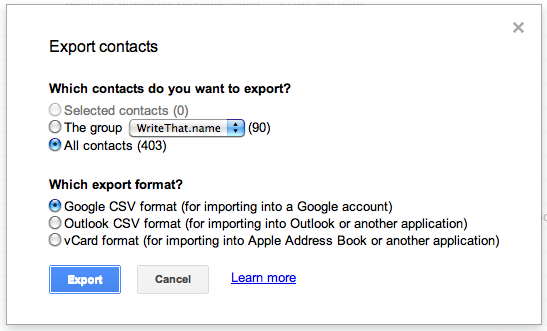
Export Google contacts to Thunderbird, Outlook, Apple Mail…
(or export only the contacts WriteThatname has carefully updated)
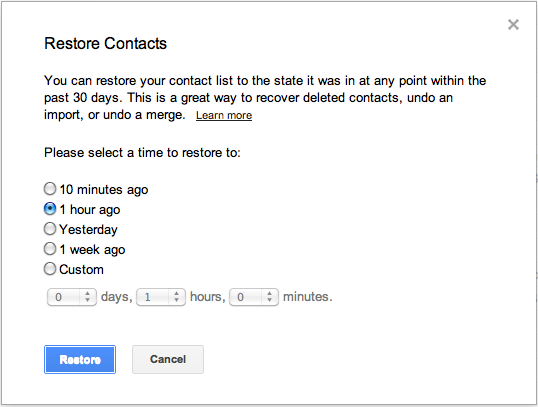
AND every now and again an import or an export can have dangerous effects on your address book. Google also allows you to recover any changes from the past month (or WriteThatname’s HistoRecall can always recover or completely redo your address book from all previous emails!)
What else do you wish WriteThatname or Google Contacts could do for your address book?
4 Comments
Comments are closed.



[…] these kinds of sync, it’s a good idea to back up your data on both ends and do a « merge » with google contacts before so you avoid duplicates. Posted 2012/10/02 in How-to by […]
[…] your main address book tidy: Within Google contacts, you can always do a merge or try out scrubly. For Outlook, the application itself dedupes well within a single address […]
[…] all of your google contacts into a .csv as shown here in the export action. (This is your local […]
[…] similar address books, if not done carefully, can create havoc on your address book. Backup for google contacts (export), and here for […]